 Answard
Calls on your terms
Silence has a guest list.
Create a rule for Family or a group, for as long as you choose. Calls from that group ring. Everyone else is silenced.
For Android. For adults 18 and over.
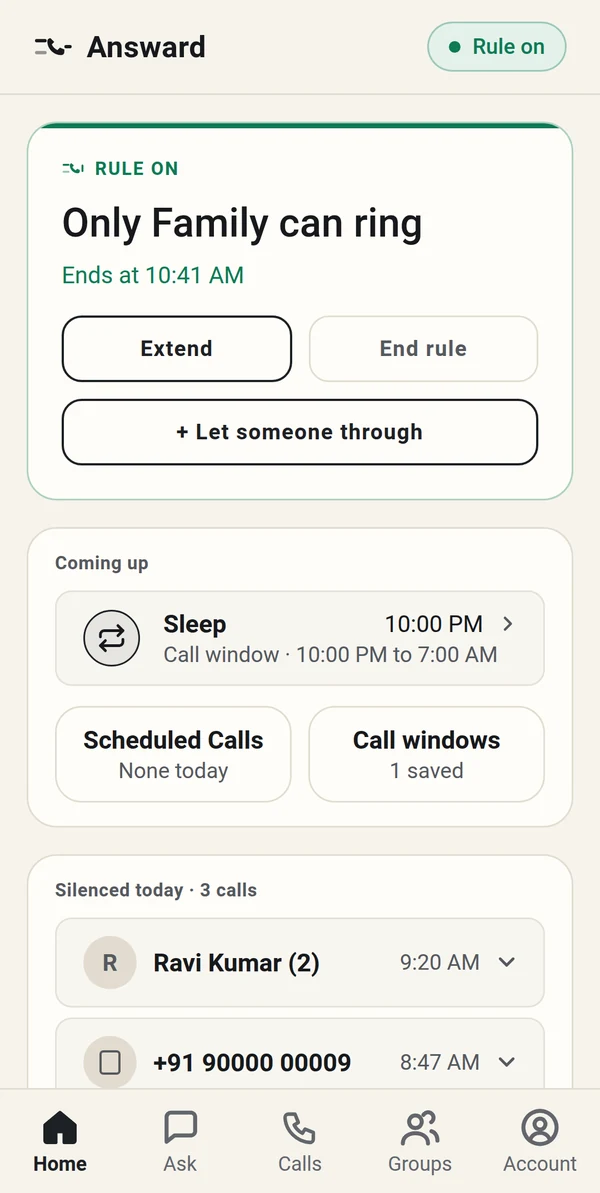

You silence your phone for a meeting, then miss an important family call. Leave it on, and unknown callers interrupt. You should not have to choose.
How a rule works
-
Choose who can ring
Pick Family or another group. Or just name people in Ask, like Priya and Ravi. No group needed.
-
Create a rule
Choose how long, for example the next 45 minutes.
-
Only they can reach you
Calls from the people you chose ring. Everyone else is silenced: your phone does not ring. Emergency numbers always ring.
Ask
Type it or say it
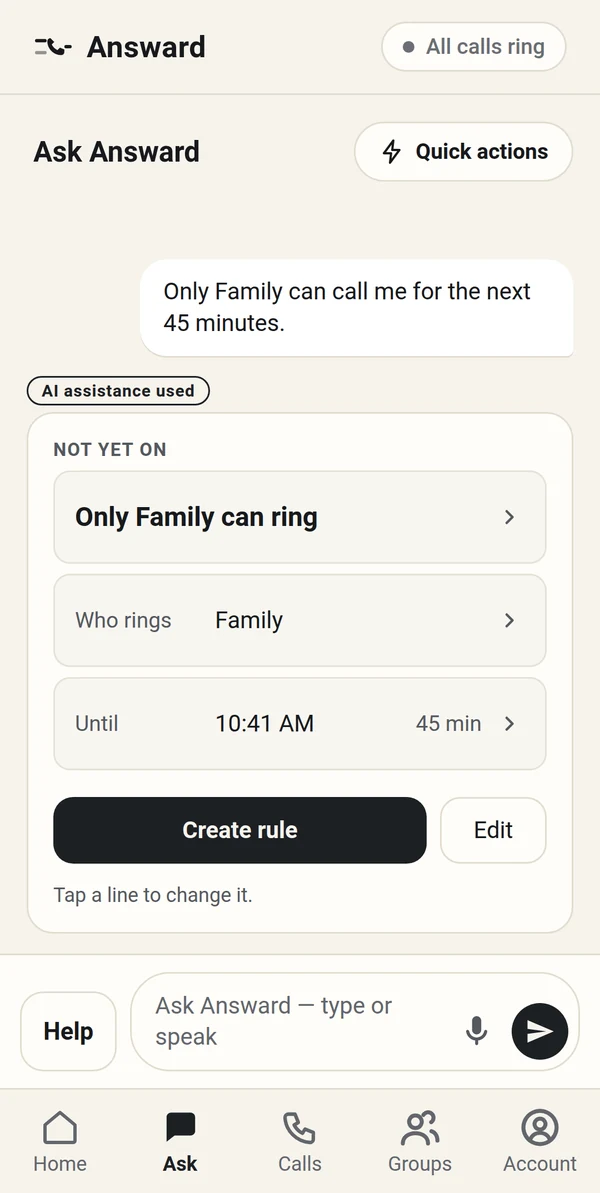
“Only Family can call me for the next 45 minutes.”
- Ask shows a card with what it will do. Nothing changes until you tap Create rule.
Privacy, in plain words
Stored on your phone
Your contacts, Family and groups, rules and call history stay on your phone.
Hide details before sending
Before Ask sends your words to AI, tap names and numbers to hide them. Anything you don’t hide is sent as written.
No ads, no tracking
No ads, analytics or tracking tools. We do not sell your data.
Ask sends your words through our server to Anthropic’s Claude, with Google’s Gemini as a backup and for voice. Our server does not store the text.
Read the full privacy policy →Try Answard free for 7 days
Asks count only when you type or speak to Ask. Voice messages use more than typing. Buttons never use Asks. When your trial or plan ends, you move to the free plan: 2 short rules a day, only Family can ring. Blocked numbers stay blocked. Blocking a number works without sign-in.
Questions
Does Answard work on iPhone?
Answard is for Android only.
Do emergency numbers ring?
Yes. Emergency numbers such as 112, 100, 108, 911 and 999 always ring. No Answard setting turns this off.
Does Ask change anything straight away?
No. Ask shows what it will do, and you tap to confirm before anything changes.
What stays when my trial or plan ends?
Your Family, groups, blocks and call history stay on your phone. Protection stops, but blocked numbers stay blocked.
How do I delete my data?
In the app, go to Account → Delete my data. You can also use answard.com/delete.